
See it happen
That's Upvote. This is just a quick look, and there's a lot more to dig into than what you see here. Every card, every vote button, every admin response. You're going to build all of it, but we don't start here. We start small, with one card.
Open Lovable and you'll land on the prompt box. Before you type anything, look at the bottom right of the chat input. There's a toggle that switches between Build mode and Plan mode. Click into Plan mode. We'll explain why this matters in the next lesson. For now, just trust the process.
Type this and hit send:
Create a feature request card for a product called Upvote. The card should have a vote count (number with an up-arrow) on the left side, a title that says "Dark mode support," a short description that says "Would love a dark theme option for late-night usage," a small category badge that says "UI/UX," and a status label that says "Planned." Center it on the page. Clean and minimal.
Lovable won't start building right away. Because you're in Plan mode, it thinks first. You'll see a short plan come back. Click "Review" to see what it came up with, then hit approve. Lovable starts generating.
After a few seconds, your preview on the right side will show a card with a vote count, title, description, category badge, and status label. Go ahead and hover over the vote button. It highlights. This isn't a screenshot or a mockup. It's an actual running page, live in your browser.
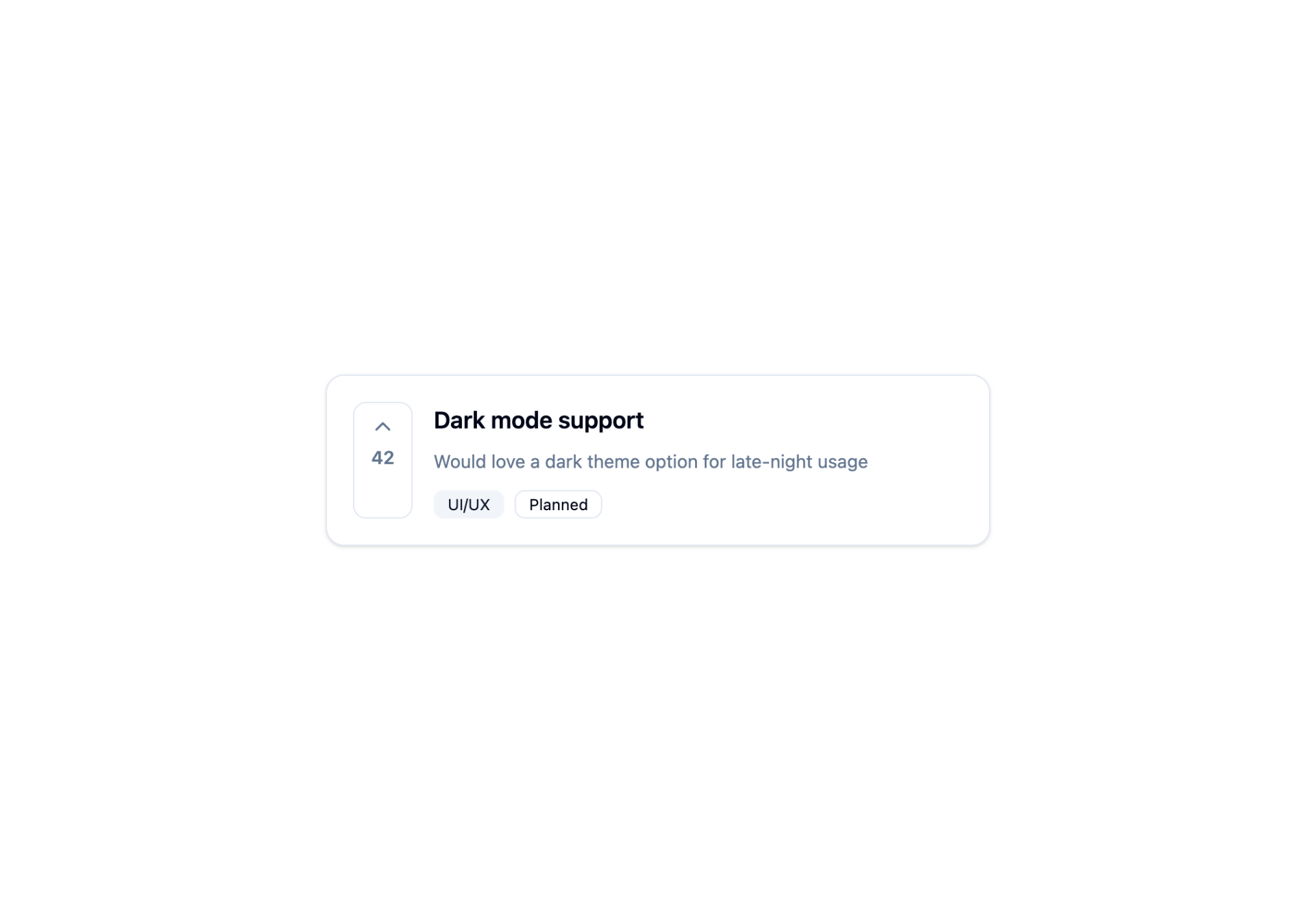
Your card might not look exactly like ours, and that's fine. AI doesn't produce identical output every time, so the styling or layout might differ. The screenshots and videos throughout this course, like above, are just one example of what Lovable might generate. What matters is that the right pieces are there, not that they match pixel for pixel.
We're going to walk you through building Upvote step by step, but this is your app. If you want to change a color, tweak the wording, or add something we didn't mention, go for it. The prompts are a starting point, not a script.
So what actually happened? Your first instinct might be that Lovable pulled from a template, or snapped together some pre-built components. Nope. Click the "Code" tab at the top of the preview panel. You'll see actual code files. Lovable read what you typed and wrote all of it from scratch.
You won't need to touch any of that code for this entire course. But it matters that it's there, because it's yours. You can export it tomorrow, drop it into your own codebase, and it just runs. Nothing is locked inside Lovable.
Now, close the code tab and go back to Preview. Everything from here happens in the chat.
You described a card. You saw it appear. That's the core of Lovable: describe, see, refine.
One card is nice, but it's not an app. Upvote needs a full page with navigation, a sidebar, a list of cards, and a submission form. You might be tempted to describe all of that in one giant prompt, but don't. The next lesson is about why, and how the Plan mode you just used becomes your most important tool.